
Sweepstakes Casino KYC: Verification Process and Documents Guide
 Available in US
KYC verification—Know Your Customer—stands between you and redemption. Every sweepstakes casino requires identity verification before processing your first cash-out. The process confirms you are who you claim to be, that you’re legally eligible to participate, and that you reside in a permitted jurisdiction. Until verification completes, your Sweeps Coins remain unredeemable. With the sweepstakes casino market generating over $10.6 billion in gross revenue in 2024, platforms process substantial verification volumes daily.
Verification typically requires 24 to 72 hours for processing, though times vary by platform and document quality. Preparing correct documents before you reach redemption thresholds prevents frustrating delays when you’re ready to cash out. Understanding what’s required, how the process works, and common failure points helps you verify smoothly on the first attempt.
This guide covers document requirements, the verification process itself, platform-specific differences, common issues and solutions, and privacy considerations around sharing personal information.
Documents Required for Verification
Government-issued photo identification serves as the primary verification document. Acceptable forms typically include driver’s licenses, state ID cards, and passports. The document must be current—not expired—and clearly readable. Your name on the ID must match the name on your sweepstakes casino account exactly.
Proof of address establishes your residence in an eligible jurisdiction. Utility bills, bank statements, or official government correspondence dated within the last 90 days typically satisfy this requirement. The document must show your name and current address matching your account details. P.O. boxes sometimes create issues; physical residential addresses work better.
Social Security number verification may occur during registration or redemption. Platforms need your SSN for tax reporting purposes—redemptions over $2,000 trigger IRS Form 1099-MISC filing requirements (the threshold increased from $600 to $2,000 starting in 2026 under the One Big Beautiful Bill Act). You might enter your SSN directly or, on some platforms, upload a Social Security card image.
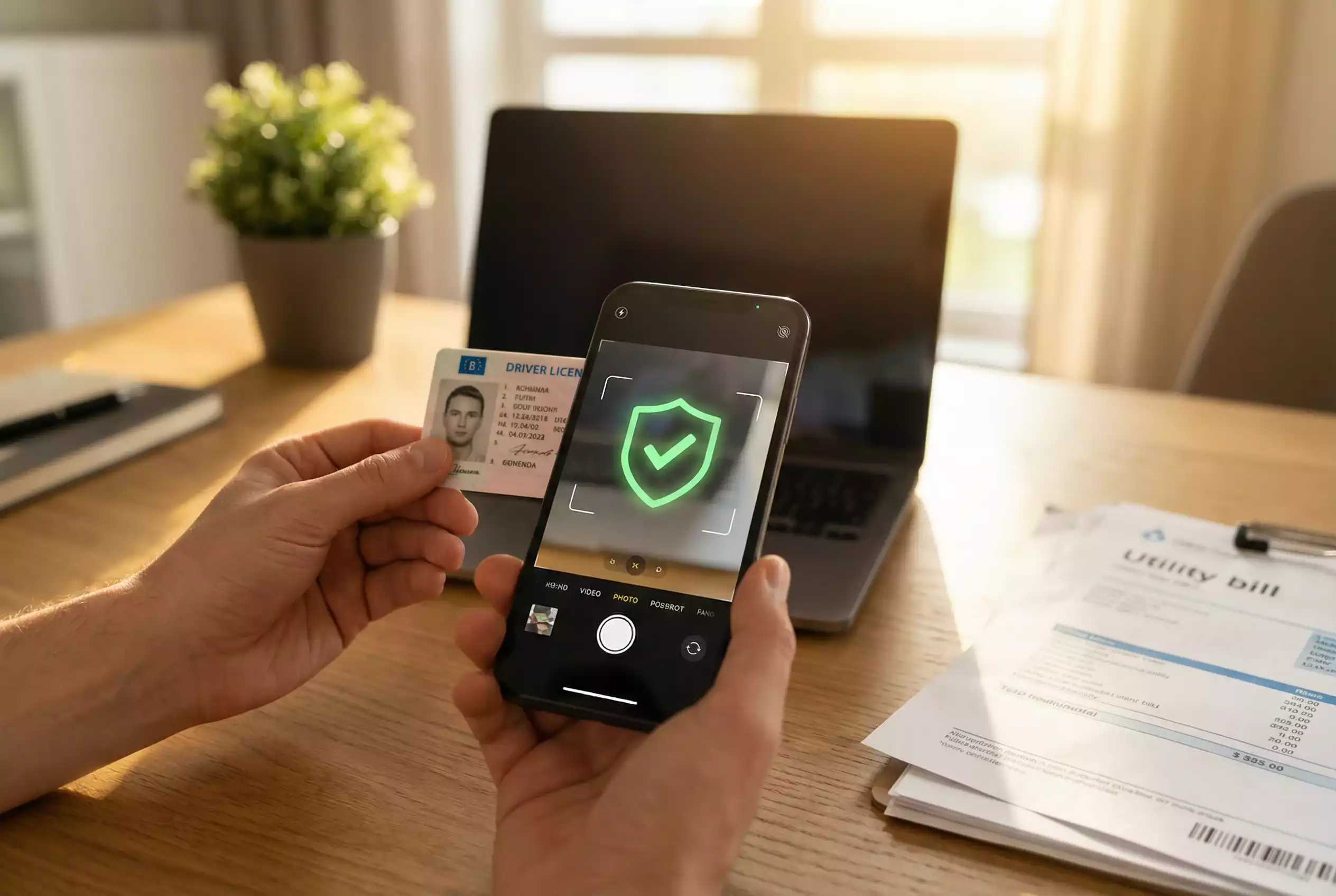
Selfie verification adds a layer of fraud prevention. Some platforms require a photo of you holding your ID, proving the document belongs to you rather than someone else. The selfie must clearly show both your face and the ID’s front side with readable details. Good lighting and a steady camera help produce acceptable images.
Payment method verification may apply when you request redemption to specific channels. Bank statements showing account ownership, or screenshots of payment wallet details, confirm the redemption destination belongs to you. This prevents funds from being sent to accounts you don’t control.
How the Verification Process Works
Verification initiation typically happens when you request your first redemption. Some platforms prompt verification earlier—during registration or when making your first purchase—but many wait until you’re actually redeeming. The timing determines whether verification delays affect your first cash-out experience.
Document submission occurs through secure upload forms within your account settings or as part of the redemption flow. Platforms accept common image formats: JPEG, PNG, and sometimes PDF. File size limits apply; if your image is too large, resize before uploading. Mobile phone photos work fine when they’re clear and well-lit.
Review processes combine automated systems and human verification. Automated checks validate document formats, detect obvious image manipulation, and cross-reference information against databases. Human reviewers handle ambiguous cases and make final approval decisions. The combination explains why processing takes hours rather than seconds.
Approval notification arrives via email and often appears in your account dashboard. Once verified, your account status updates and redemption requests can proceed. Verification typically remains valid indefinitely unless you change key account details like your address.
Rejection notifications explain what went wrong—usually document quality issues or information mismatches. You’ll have opportunities to resubmit correct documents. Multiple rejections might trigger additional scrutiny or support intervention, but most issues resolve with clearer document uploads.
Platform-Specific Verification Requirements
Chumba Casino verification follows standard patterns: government ID, proof of address, and SSN for tax purposes. Their established processes handle high verification volumes efficiently. Expect 24-48 hours for typical verification, occasionally longer during high-volume periods like weekends or after major promotions.
Stake.us verification integrates with their cryptocurrency focus. While standard identity verification applies, crypto-savvy users might find the process emphasizes wallet verification for cryptocurrency redemptions. The platform’s technical orientation appears in their verification interface design.
Newer platforms like Crown Coins, WOW Vegas, and McLuck generally follow industry-standard verification requirements. Smaller platforms may process verifications faster due to lower volume, or slower due to fewer staff resources—experiences vary. Reading recent user reports provides insight into current processing speeds.
Some platforms verify incrementally. Initial verification might require just ID, with address verification triggered at higher redemption amounts or for specific payment methods. Understanding your platform’s verification tiers helps you prepare appropriate documents at each stage.
VIP or high-volume players sometimes receive expedited verification through dedicated account management. If you’ve achieved VIP status, ask whether accelerated verification is available for your tier.
Common Verification Issues and Solutions
Document quality problems cause most verification failures. Blurry photos, poor lighting, glare obscuring text, or cropped images that cut off important information all trigger rejection. Retake photos in good lighting, holding the camera steady, with the entire document visible and all text readable.
Name mismatches between documents and accounts create issues. If your ID shows your legal name but you registered with a nickname, the mismatch flags problems. Ensure account registration names match your legal identification exactly—including middle names if your ID includes them.
Address discrepancies happen when you’ve moved recently. If your ID shows an old address but you now live somewhere else, you’ll need proof of current address via recent utility bills or bank statements. Some platforms allow address updates with supporting documentation; others are stricter.
Expired documents fail verification automatically. Check expiration dates before uploading—an expired driver’s license won’t work even if you haven’t renewed yet. Use current, valid identification only.
Document format errors occur when files don’t meet platform requirements. Wrong file types, oversized files, or corrupted uploads trigger automatic rejection. Verify file format and size meet stated requirements before submitting.
If multiple resubmissions fail, contact customer support directly. A human reviewer can often identify specific issues that automated rejection messages don’t clearly explain. Support may accept documents through alternative channels like email if the upload system creates problems.
Privacy Considerations for Document Submission
Sharing sensitive documents creates legitimate privacy concerns. You’re providing government ID, address proof, and SSN to companies that may or may not handle this information responsibly. Understanding what platforms do with your data helps you make informed decisions about participation.
Legitimate platforms maintain security standards for document storage. Data encryption, access controls, and retention policies should govern how your information is protected. Reputable sweepstakes casinos invest in security infrastructure, though specifics aren’t always publicly detailed.
Privacy policies explain data handling practices. Before verifying, review the platform’s privacy policy to understand who accesses your information, how long it’s retained, and whether it’s shared with third parties. Policies vary—some platforms share data more liberally than others.
Minimizing exposure where possible makes sense. Provide only required documents rather than volunteering additional information. If a platform doesn’t require a specific document type, don’t upload it unnecessarily. The less data they hold, the less can be compromised.
Monitor for suspicious activity after verification. If you notice unusual account behavior, credit inquiries you didn’t authorize, or other signs of identity misuse, take protective action immediately. While major platforms haven’t experienced publicized data breaches, the possibility exists with any entity holding sensitive information.
The verification requirement is non-negotiable for redemption. If privacy concerns outweigh your interest in prizes, sweepstakes casinos may not be appropriate for you. Otherwise, verify with awareness of what you’re sharing and with whom.
Sweepstakes Casino KYC — More on this topic at free sc online casino.
See also Sweepstakes Casino Responsible Gaming.
Created by the "Free SC Online Casino" editorial team.